Positron Server available for academic use via JupyterHub
Academic institutions can now offer Positron directly within their JupyterHub environments with a free license.
Academic institutions can now offer Positron directly within their existing JupyterHub environments, giving students a robust data science IDE without needing a local install or new infrastructure. With a free teaching license, institutions can provide Positron Server to currently enrolled students for use in coursework. This makes it easy to deliver a consistent, fully featured data science environment to students without requiring local installation or setup.
Students can launch Positron the same way they would open JupyterLab or a notebook. Just select it from the JupyterHub launcher and start working.
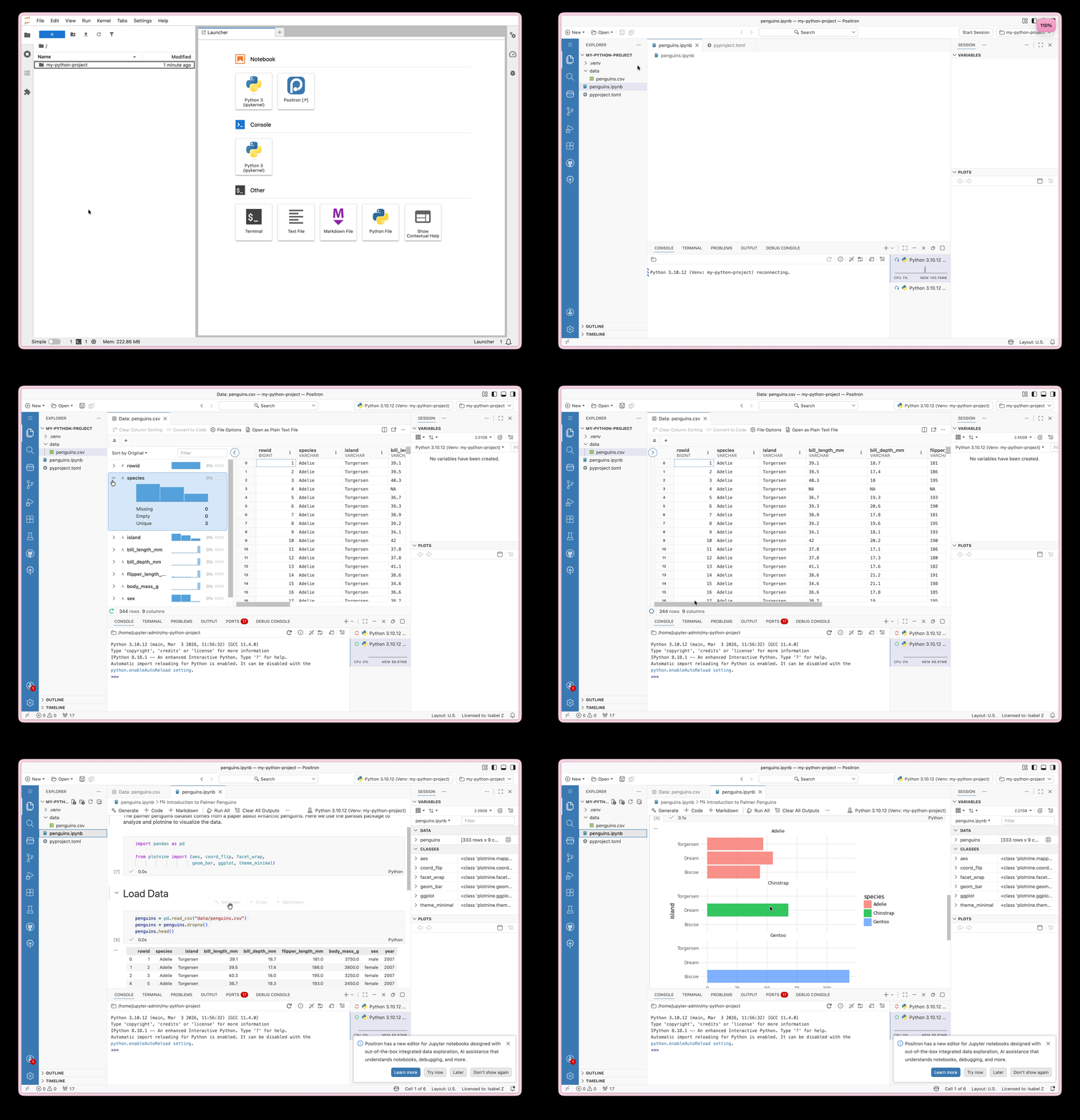
Once launched, Positron provides the full IDE experience, including:
- Rich Python and R support
- Access to the OpenVSX extension marketplace
- Built in data viewer and variables explorer
- Integrated help pane, debugger, version control and other features to help students level up when they’re ready
How it works
Positron Server is designed to integrate directly with existing JupyterHub deployments. It’s compatible with JupyterHub environments running JupyterLab 4 and Python 3.9+.
It’s installed via the jupyter-positron-server Python package, built on Jupyter Server Proxy. If you’ve configured similar services before, setup will feel familiar. This is not a standalone desktop install. Rather, it lets you bring Positron into an existing JupyterHub setup.
Who can use it?
This offering is available to academic institutions using Positron for teaching. Under a free license, institutions can provide access to enrolled students, course participants, or staff involved in the delivery or receipt of educational programming.
Full eligibility details are available in the Positron Education License Rider.
Getting started
Hosting Positron for teaching purposes requires a free license key. To get set up:
- Review the eligibility criteria in the Positron Education License Rider.
- Email academic-licenses@posit.co to request a teaching license.
- Once your license is confirmed, follow the
jupyter-positron-serverdocumentation to complete setup in your JupyterHub environment.
Have questions or want to learn more?
Reach out to academic-licenses@posit.co and let us know you’re interested in Positron. We’ll help you navigate next steps!